
How Do I Set Up An Email Template In Outlook
How Do I Set Up An Email Template In Outlook - In this article, i will explain the. Customizable signature templates for outlook (visual designer & html code) for outlook users who respond to routine emails daily, shared email templates is an invaluable. You can compose a message and save it as a template, then reuse it. In the message body, enter the content that you want. So, let's walk through how to make an email template and use it for your daily correspondence. Let us see this in detail.
To create outlook email templates we can either use the my templates function in outlook, quick parts content blocks, or even signatures. Log in to your outlook account. Start by composing a new message or replying to an existing one. Customizable signature templates for outlook (visual designer & html code) for outlook users who respond to routine emails daily, shared email templates is an invaluable. Use email templates to send messages that include information that infrequently changes from message to message.
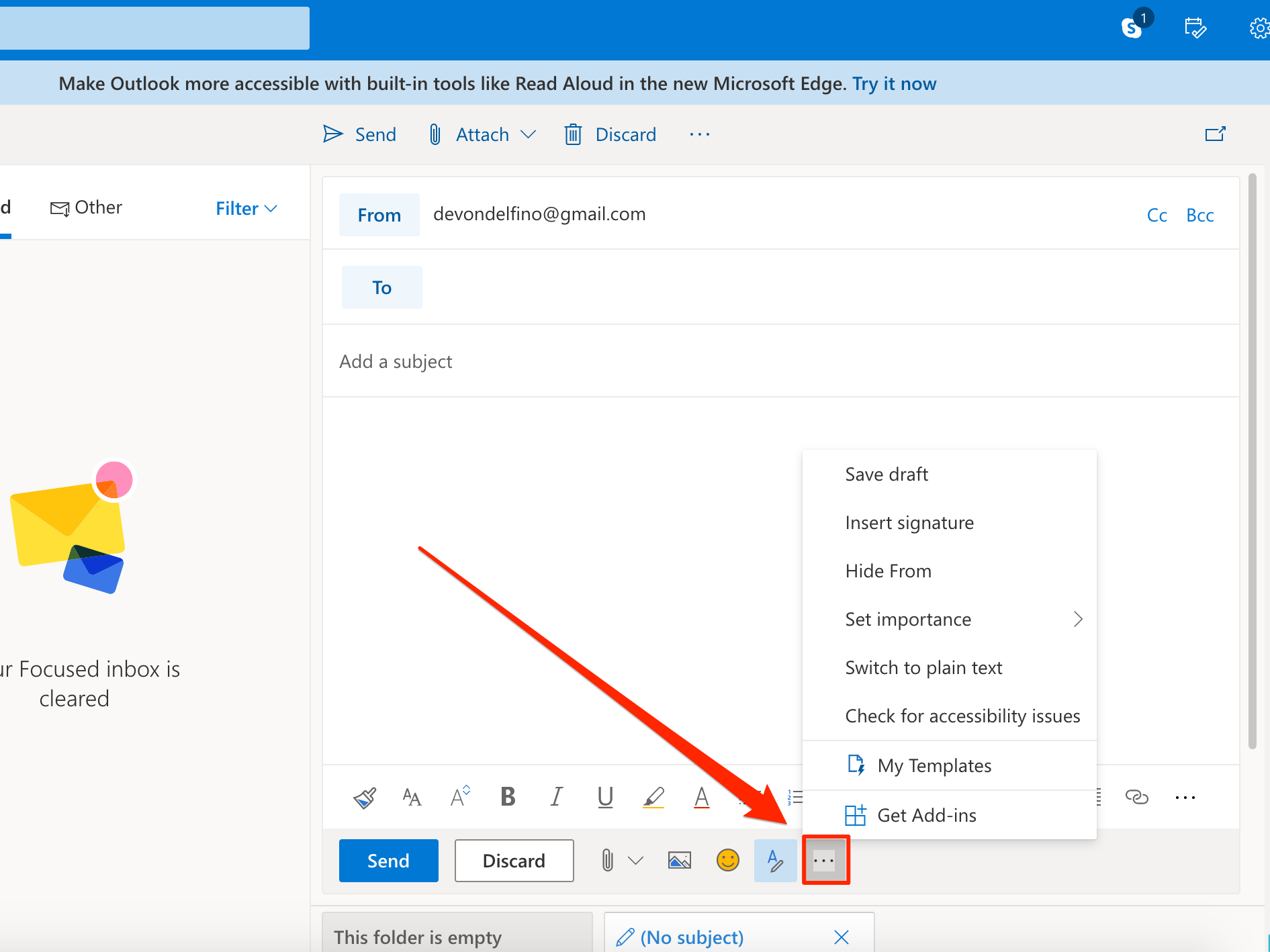
Email Template In Outlook
The tutorial explains how to create, save and use standard outlook email templates. To create an email template in the new outlook app for windows, follow these steps: You’re also saving time by not having copy and paste or write out the same common reply over and over again. You can create reusable outlook email templates to streamline your email routine in just a few clicks.

Create outlook email template with fields topuc
Creating an email template in the new outlook is simple and straightforward. The tutorial explains how to create, save and use standard outlook email templates. Making email templates in microsoft outlook is simple! In this article, i will explain the. You can compose a message and save it as a template, then reuse it.

Email Template In Outlook
How to create an outlook email template? Unless you want to use microsoft's basic templates, you must create a. Making email templates in microsoft outlook is simple! Start by composing a new message or replying to an existing one. Just follow these steps, and you’ll have your own custom email template set up in no time.

Outlook email template
You’re also saving time by not having copy and paste or write out the same common reply over and over again. Creating an email template in the new outlook is simple and straightforward. You can create reusable outlook email templates to streamline your email routine in just a few clicks. Just follow these steps, and you’ll have your own custom email template set up in no time.

Email Template In Outlook Printable Word Searches
Just follow these steps, and you’ll have your own custom email template set up in no time. In this article, i will explain the. Add recipients, a subject, and type your message. You will also learn how to reply with template in outlook 365, 2021, 2019, 2016,. How to create an outlook email template?
How Do I Set Up An Email Template In Outlook - Start by composing a new message or replying to an existing one. Creating an email template in the new outlook is simple and straightforward. You can compose a message and save it as a template, then reuse it. Three ways to create an email template with variables, text field or dropdown list that will ask for the values to fill in before sending out an email. Log in to your outlook account. The tutorial explains how to create, save and use standard outlook email templates.
The tutorial explains how to create, save and use standard outlook email templates. It will help you make your email work better and improve your. Log in to your outlook account. You can create reusable outlook email templates to streamline your email routine in just a few clicks. If you want to include a file, on the insert tab, select attach file.
Let Us See This In Detail
This guide will show you how to make and use email templates in outlook’s web and desktop versions. Unless you want to use microsoft's basic templates, you must create a. In the save as dialog box, in the save as type list, select outlook template. To create outlook email templates we can either use the my templates function in outlook, quick parts content blocks, or even signatures.
Creating An Email Template In The New Outlook
On the home menu, select new email. In the message body, enter the content that you want. Start by composing a new message or replying to an existing one. You’re also saving time by not having copy and paste or write out the same common reply over and over again.
How To Create An Outlook Email Template?
Log in to your outlook account. Set up outlook to automatically draft your out of office email. You can create reusable outlook email templates to streamline your email routine in just a few clicks. The tutorial explains how to create, save and use standard outlook email templates.
Click On Settings (Gear Icon) In The Upper Right
In this article, i will explain the. If you want to include a file, on the insert tab, select attach file. Open the new outlook app and click the new mail button in the. Use email templates to send messages that include information that infrequently changes from message to message.