
Google Ads Tracking Template
Google Ads Tracking Template - Cómo crear un informe personalizado de google ads. When an ad is clicked, the information is used to create your. When an ad is clicked, the information is used to create your. A tracking template in google ads is a url parameter added to your google ads account settings that allows you to track specific information about your ad urls. The tracking template is where you put tracking information. Tracking templates at the account, campaign, or ad group level must include a valuetrack parameter that inserts your final url, like {lpurl}.
The tracking template is where you put tracking information. Efficiently track the performance of your campaigns, ad groups, and individual ads. A tracking template is a place where you put url tracking information. When your ad is clicked, these parameters. The keyword tracking template is the most specific followed by the ad, ad group, campaign, then account.

How To Set Up Google Ads Account Level Tracking
Learn more about how to set up your tracking template. When an ad is clicked, the information is used to create your. A tracking template is a place where you put url tracking information. Tracking templates at the account, campaign, or ad group level must include a valuetrack parameter that inserts your final url, like {lpurl}. You can use url parameters to customize your final url.

How To Set Up Google Ads Account Level Tracking
A tracking template in google ads is a url parameter added to your google ads account settings that allows you to track specific information about your ad urls. When an ad is clicked, the information is used to create your. Google ads tracking template are essential tools for advertisers seeking to optimize their campaigns through precise tracking and analytics. The keyword tracking template is the most specific followed by the ad, ad group, campaign, then account.

Google Ads Tracking Template
In this article, we’ll break down. A tracking template in google ads is a url parameter added to your google ads account settings that allows you to track specific information about your ad urls. Learn how to set up and optimise your tracking. Cómo crear un informe personalizado de google ads. The tracking template is where you put tracking information.
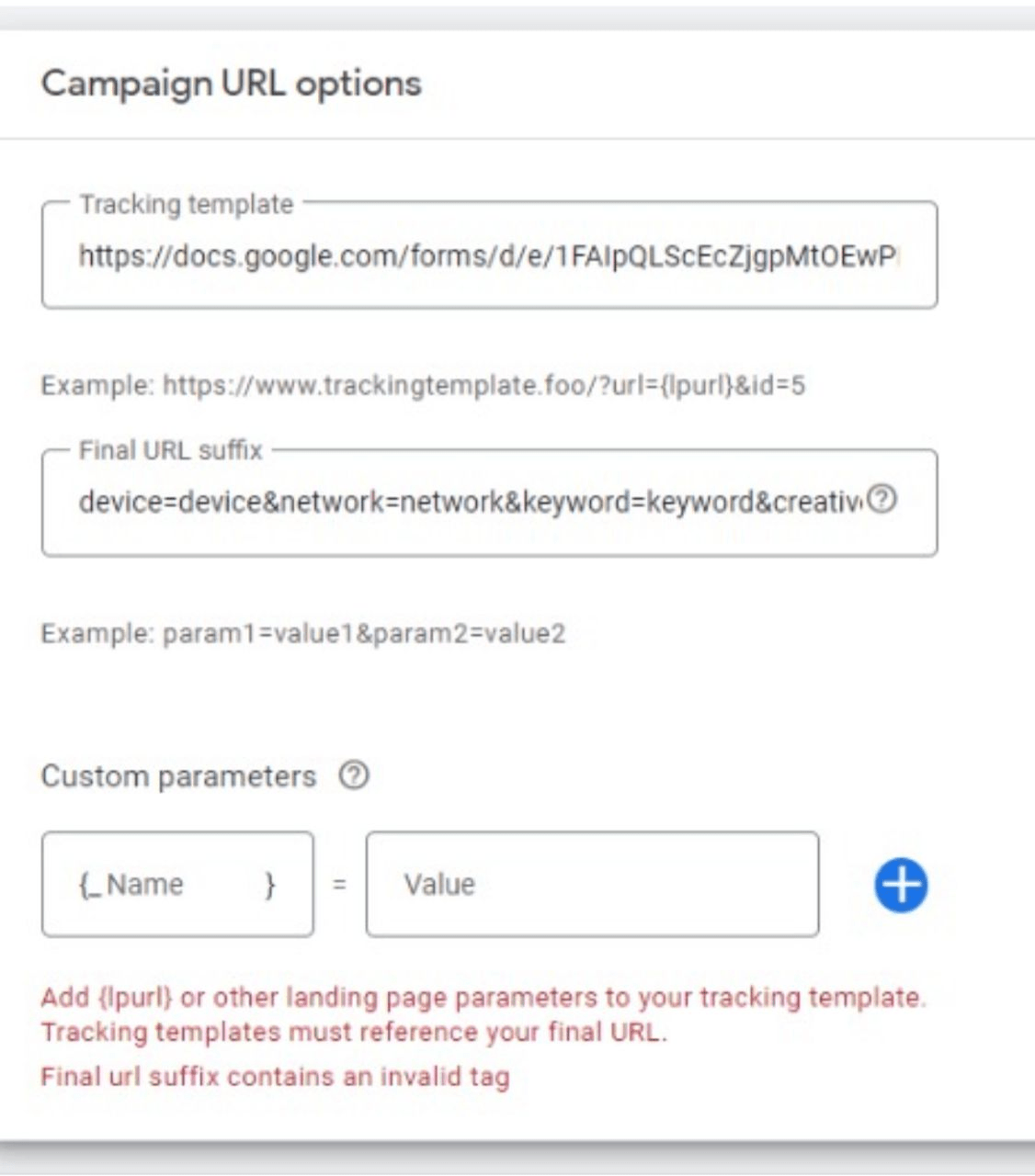
Google Ads tracking template Webmasters Stack Exchange
By implementing tracking templates in your google ads campaigns, you can: There are two types of tracking parameters: Tracking templates at the account, campaign, or ad group level must include a valuetrack parameter that inserts your final url, like {lpurl}. When an ad is clicked, the information is used to create your. Google ads tracking template helps you determine the source of ad clicks.

Tracking Template Google Ads
There are two types of tracking parameters: This guide will help you set up tracking for better insights and. Cómo crear un informe personalizado de google ads. You can use url parameters to customize your final url. Multiple ad formatsintegrate generative aiadvertise to millionspremium video ads
Google Ads Tracking Template - Learn more about how to set up your tracking template. Understanding what a tracking template is. The keyword tracking template is the most specific followed by the ad, ad group, campaign, then account. When your ad is clicked, these parameters. By implementing tracking templates in your google ads campaigns, you can: Google ads tracking template are essential tools for advertisers seeking to optimize their campaigns through precise tracking and analytics.
This guide will help you set up tracking for better insights and. When a customer does something you’ve. The keyword tracking template is the most specific followed by the ad, ad group, campaign, then account. For example, you may want to track clicks from a certain campaign or ad group. There are two types of tracking parameters:
The Keyword Tracking Template Is The Most Specific Followed
When an ad is clicked, the information is used to create your. This template allows you to specify url parameters containing information about the device, network, keyword,. You can use url parameters to customize your final url. By using tracking templates, marketers can see which elements of their campaigns are working well, helping to improve overall ad performance.
The Tracking Template Is Where You Put Tracking Information
By implementing tracking templates in your google ads campaigns, you can: A tracking template is a place where you put url tracking information. For example, you may want to track clicks from a certain campaign or ad group. Cómo crear un informe personalizado de google ads.
Google Ads Tracking Template
Tracking parameters pass information about the click for your account, campaign, or ad group in the tracking template. When a customer does something you’ve. Efficiently track the performance of your campaigns, ad groups, and individual ads. When your ad is clicked, these parameters.
Learn How To Add Tracking Templates In Google Ads
You can use url parameters to customise your final url. A tracking template in google ads is a url parameter added to your google ads account settings that allows you to track specific information about your ad urls. Si estás interesado en crear tu propio informe de google ads desde cero, hemos preparado un breve tutorial para. In this article, we’ll break down.