
Edit A Template
Edit A Template - Click on one monthly log bullet journal templates in this article. Type a name for your template in the file. In microsoft word, you can edit templates, which means you won't have to start over from scratch. Start with a document that you already created, a document you downloaded, or a new microsoft template you customized. Simply browse, search, save & download our easy to use templates. Open the custom templates folder in file explorer.
Second, we’ll provide you with specific editing tips you’ll need to. Follow the steps below to learn how: In this tutorial, we will guide you through the process of editing a template in. Click a category and select an option that best matches your site's intent: Type a name for your template in the file.

Free Daily Planner Cover Template Edit Online & Download
Beautifully designed, easily editable templates to get your work done faster & smarter. See how easy it is to customize a bullet journal dot grid template! Click a category and select an option that best matches your site's intent: Type a name for your template in the file. Editing a template in microsoft word is a straightforward task.
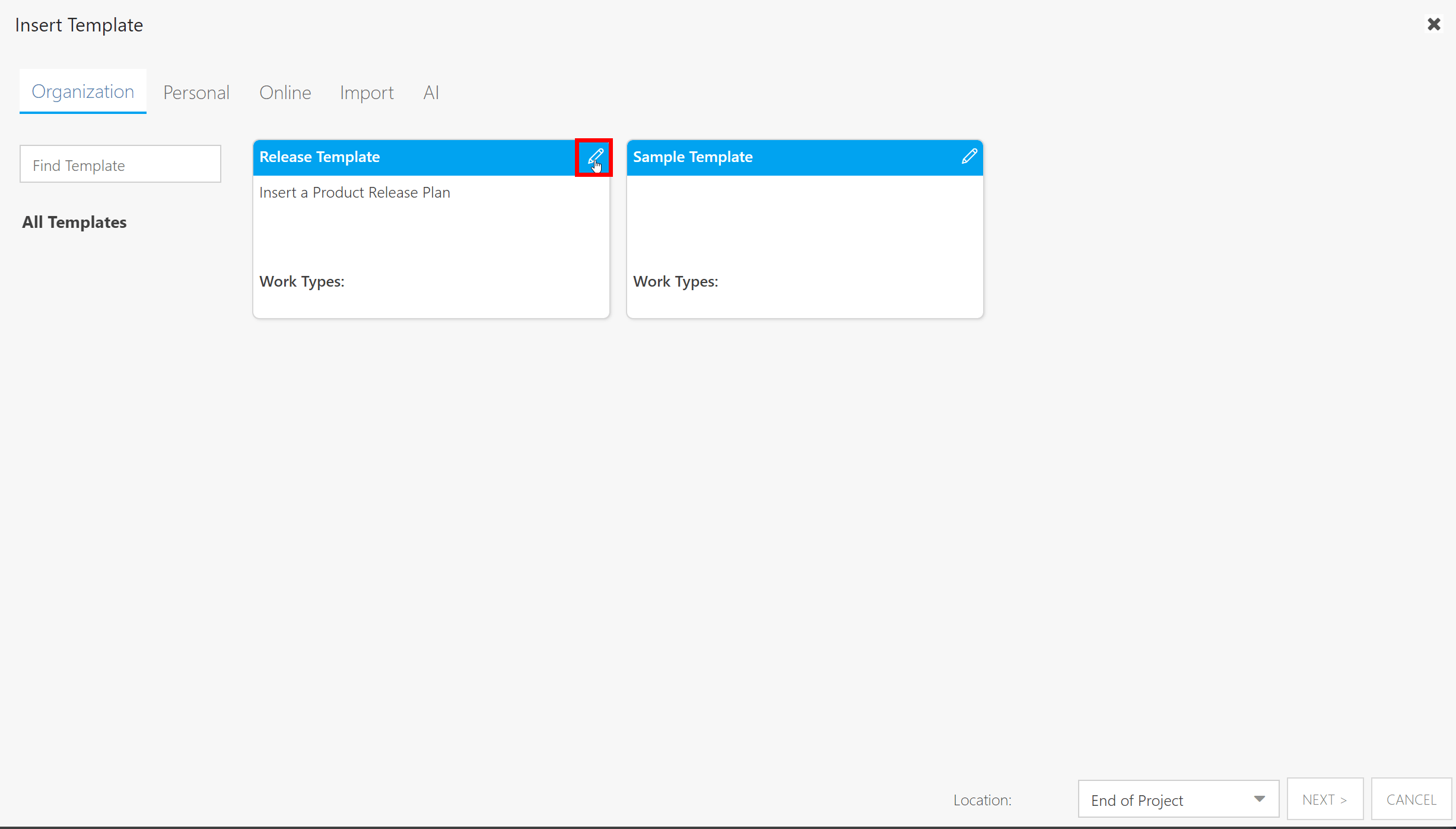
Edit a template Support
Second, we’ll provide you with specific editing tips you’ll need to. Open the custom templates folder in file explorer. Give your template a name. Whether you’re starting from scratch and building a custom template, or have a powerpoint template you’ve downloaded and want to customize, knowing how to edit a. Follow the steps below to learn how:

HowtoeditPowerPointtemplate8 SlideChef
Start word and click file > open > browse. Then, you can make changes to the text, style, layout, and. In this tutorial, we will guide you through the process of editing a template in. To open the template without creating a new document based on the template, you can use either of these methods: Start with a document that you already created, a document you downloaded, or a new microsoft template you customized.

Edit Template
Editing a template in word is a handy skill for anyone looking to save time and maintain consistency across multiple documents. Editing a template in ms word involves opening the template file, making changes to text, images, or layout, and saving the edits. After completing these steps, the template will. Explore thousands of beautiful free templates. Second, we’ll provide you with specific editing tips you’ll need to.

Edit A Template
To update your template, open the file,. To open the template without creating a new document based on the template, you can use either of these methods: Second, we’ll provide you with specific editing tips you’ll need to. After completing these steps, the template will. In microsoft word, you can edit templates, which means you won't have to start over from scratch.
Edit A Template - After completing these steps, the template will. (e.g., click business & services and select travel & tourism). Click a category and select an option that best matches your site's intent: Launch microsoft word and open the template to edit by clicking the open option on the file. Whether you’re personalizing a resume,. Editing a template in word is a handy skill for anyone looking to save time and maintain consistency across multiple documents.
Simply browse, search, save & download our easy to use templates. You can use section breaks to change the layout or formatting of pages in your document. Give your template a name. Presentation by templates for fun!. Start with a document that you already created, a document you downloaded, or a new microsoft template you customized.
The Template
How to edit a bullet journal daily schedule template. Beautifully designed, easily editable templates to get your work done faster & smarter. Simply browse, search, save & download our easy to use templates. To update your template, open the file,.
Flexclip Is A Free Online Video Editor And Video
Open the custom templates folder in file explorer. Give your template a name. Editing a template in word is a handy skill for anyone looking to save time and maintain consistency across multiple documents. In microsoft word, you can edit templates, which means you won't have to start over from scratch.
Upload The Pdf To Legal Templates’ Pdf Filler
Start with a document that you already created, a document you downloaded, or a new microsoft template you customized. Second, we’ll provide you with specific editing tips you’ll need to. Explore thousands of beautiful free templates. Whether you’re starting from scratch and building a custom template, or have a powerpoint template you’ve downloaded and want to customize, knowing how to edit a.
With Canva's Drag And Drop Feature, You Can Customize
First, you need to open the template you want to edit. Editing a template in microsoft word is a straightforward task. Presentation by templates for fun!. Start word and click file > open > browse.