
Docusign Create Template
Docusign Create Template - Creating a template is a lot like starting an envelope. By following these steps, you can create reusable templates for common documents. You add files, recipients, messages, and signing fields, and you can add any of the standard supported file types to your template. Designing a template in docusign involves incorporating text, fields, and custom branding elements to create a visually appealing and functional document template for electronic. Reduce the number of templates needed by leveraging. Learn how to create, configure, and manage templates with docusign esignature.
Need to step up your docusign template game? If you don’t already have a docusign customer or developer account, you can create one for free. This tool lets sales teams simplify contract creation by creating a. Sending the same form over and over? You can find detailed steps on how to create a template, here:

Docusign Create Template
The design systems docusign implemented as part of the rebrand meant the creative team could support more projects across the company. 30 day free trialtrusted by millions24/7 tech support Or copy an existing template and make changes to it. This article describes how to create docusign templates to send docusign documents to one or multiple recipients. Reduce the number of templates needed by leveraging.

Create Template In Docusign
You can create a template from scratch. Need to step up your docusign template game? Looking for a way to save even more time with docusign? Docusign iam for sales gives you powerful contract workflow capabilities like the agreement template builder. Learn how to create a template.

Create Docusign Template
This guide will help you create reusable documents. Creating a template in docusign involves a series of steps that include accessing your account, selecting the template type, customizing the layout, and adding necessary fields for document. As a result, docusign developed an extra 2,000. Need to step up your docusign template game? You can find detailed steps on how to create a template, here:.
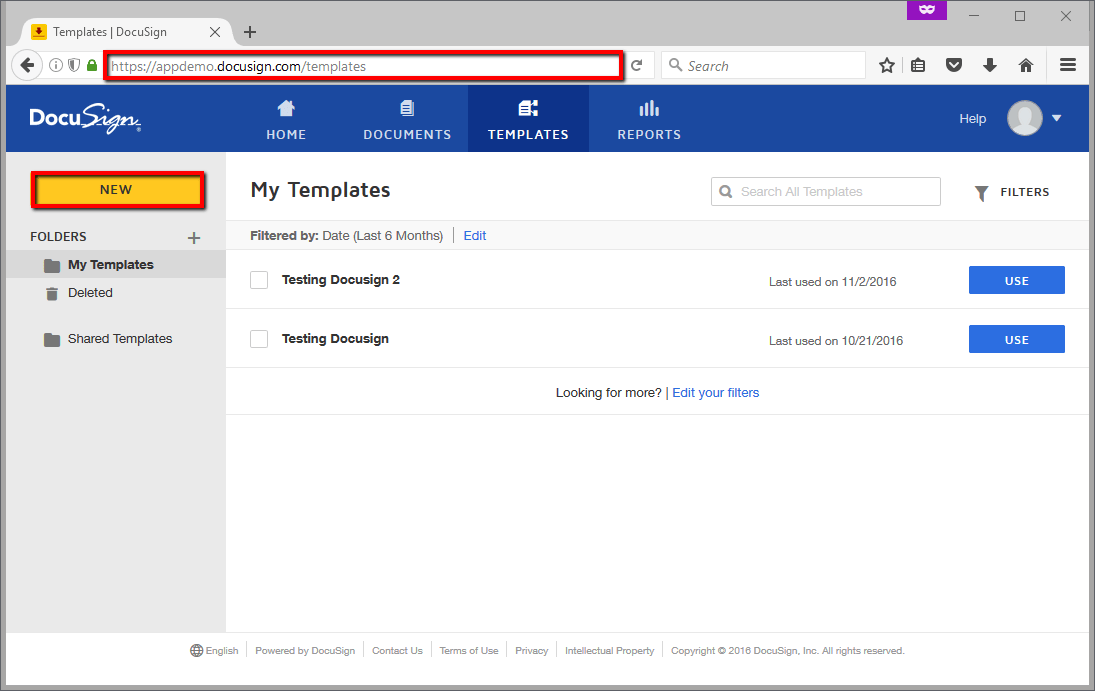
Docusign template Laserfiche Answers
This guide will help you create reusable documents. Docusign iam for sales gives you powerful contract workflow capabilities like the agreement template builder. If you don’t already have a docusign customer or developer account, you can create one for free. Sending the same form over and over? You will learn how to create dynamic document templates in docusign that automatically adjust to different text lengths and ensure proper signature field placement.

Create Docusign Template
Turn it into a template! Creating a template in docusign is a straightforward process that requires minimal effort. This article describes how to create docusign templates to send docusign documents to one or multiple recipients. Learn how to create a template. 30 day free trialtrusted by millions24/7 tech support
Docusign Create Template - Templates are perfect for almost any docusign workflow that you do over and over again. Learn how to create a template. Try using some of our template management actions. You can also use the save as template feature to make a template out of any of. This procedure addresses everything that you can add or set for your template. Templates can range from simple to very complex, but they.
Creating a template in docusign involves a series of steps that include accessing your account, selecting the template type, customizing the layout, and adding necessary fields for document. Do you find yourself sending the same document over and over? Learn how to create, configure, and manage templates with docusign esignature. Docusign iam for sales gives you powerful contract workflow capabilities like the agreement template builder. Creating a template in docusign is a straightforward process that requires minimal effort.
Templates Make Sending Standard Documents Like Purchase Orders, Ndas,
Need to step up your docusign template game? Looking for a way to save even more time with docusign? This procedure addresses everything that you can add or set for your template. By following these steps, you can create reusable templates for common documents.
Streamline Your Workflow By Creating A Template
Learn how to create a template. Reduce the number of templates needed by leveraging. Sending the same form over and over? How to create a template.
This Tool Lets Sales Teams Simplify Contract Creation
Once a template has been created, you can: Designing a template in docusign involves incorporating text, fields, and custom branding elements to create a visually appealing and functional document template for electronic. Most of these steps are optional, and you can choose exactly. You can also use the save as template feature to make a template out of any of.
Docusign Community You Can Login Or Register As Either
If you don’t already have a docusign customer or developer account, you can create one for free. This article describes how to create docusign templates to send docusign documents to one or multiple recipients. Creating a template in docusign involves a series of steps that include accessing your account, selecting the template type, customizing the layout, and adding necessary fields for document. The design systems docusign implemented as part of the rebrand meant the creative team could support more projects across the company.