
Creating A Template Email In Outlook
Creating A Template Email In Outlook - Compose and save a message as a template and then reuse it when. In this article, we will show you how to create an outlook email template, saving you time and effort in the process. Understanding the purpose of an outlook email template. Create a new email from template. I am trying to create a new rule in outlook 365. The old outlook allowed my to set a reply template for messages sent to me.
I am trying to create a new rule in outlook 365. To get started, we'll show you how to create an email template, and then how to add a template selector to the ribbon. Create an email message template. You will also learn how to reply with template in outlook 365, 2021, 2019, 2016,. The old outlook allowed my to set a reply template for messages sent to me.
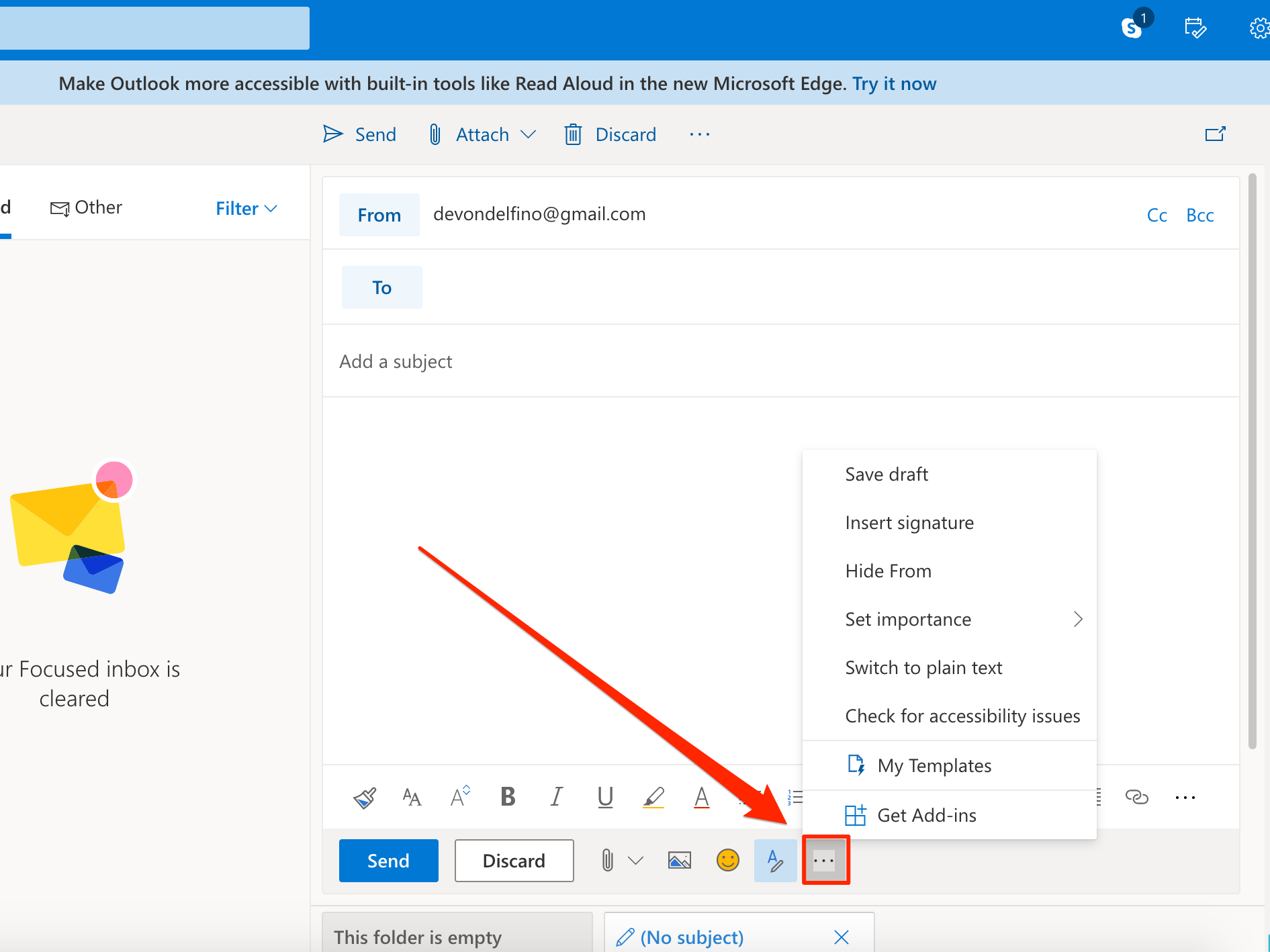
Email Template In Outlook
To create an email template in microsoft outlook, follow these simple steps: But, outlook email templates can help make repetitive emails easier, keep messages consistent, and save time. You’ll see a handful of microsoft’s standard templates in your collection already.if any of them apply, click the template and start creating your email. Compose and save a message as a template and then reuse it when.

Create outlook email template with fields dasca
So, let's walk through how to make an email template and use it for your daily correspondence. Understanding the purpose of an outlook email template. Before you can pin a template, you have to create one. Log in to your outlook account. I am attempting to set it up like in the old outlook.

How to create outlook email from template email topglobe
Add recipients, a subject, and type your message. Create an email message template. This guide will show you how to make and use email. To get started, we'll show you how to create an email template, and then how to add a template selector to the ribbon. Understanding the purpose of an outlook email template.

Create email template in outlook
Unless you want to use microsoft's basic templates, you must create a. Compose and save a message as a template and then reuse it when. The old outlook allowed my to set a reply template for messages sent to me. If you want to include a file, on the insert tab, select attach file. Create an email message template.

Email Template In Outlook Printable Word Searches
Before you can pin a template, you have to create one. If you want to include a file, on the insert tab, select attach file. Click on settings (gear icon) in the upper right corner of the screen.. To get started, we'll show you how to create an email template, and then how to add a template selector to the ribbon.
Creating A Template Email In Outlook - Let us see this in detail. Compose and save a message as a template and then reuse it when. Unless you want to use microsoft's basic templates, you must create a. So, let's walk through how to make an email template and use it for your daily correspondence. The old outlook allowed my to set a reply template for messages sent to me. I am trying to create a new rule in outlook 365.
Click on settings (gear icon) in the upper right corner of the screen.. To create an email template in the new outlook app for windows, follow these steps: Let us see this in detail. Add recipients, a subject, and type your message. If you want to include a file, on the insert tab, select attach file.
This Guide Will Show You How To Make
In this article, we will show you how to create an outlook email template, saving you time and effort in the process. To create an email template in microsoft outlook, follow these simple steps: Log in to your outlook account. Yes, this tutorial will guide you to create, edit, and apply email templates easily in outlook.
Compose And Save A Message As A Template
You’re also saving time by not having copy and paste or write out the same common reply over and over again. To create an email template in the new outlook app for windows, follow these steps: Do you want to create and use email templates in microsoft outlook or outlook.com? I am attempting to set it up like in the old outlook.
Instead Of Crafting Each Email From Scratch, You
Set up outlook to automatically draft your out of office email. I am trying to create a new rule in outlook 365. If you want to include a file, on the insert tab, select attach file. You’ll see a handful of microsoft’s standard templates in your collection already.if any of them apply, click the template and start creating your email.
Use Email Templates To Send Messages That Include Information
Use email templates to send messages that include information that infrequently changes from message to message. So, let's walk through how to make an email template and use it for your daily correspondence. Unless you want to use microsoft's basic templates, you must create a. Open the new outlook app and click the new mail button in the.