
Cornell Note Taking Template Word
Cornell Note Taking Template Word - If you are looking for a way to take better notes in class, at meeting or at your office then you should consider using a cornell notes word template. Free printable and editable cornell notes templates and notebooks in word, pdf & google docs. This method arranges the page into specific areas designated for detailed notes, key points, and a summary. He designed it to help students structure their notes using a systematic format that. In this article, we share all the things that you should know to make your notes organize and summarize. Organize and manage notes efficiently for quick review and recall with clickup’s cornell notes template.
Add a modern aesthetic to note taking with our cornell notes template available for download in google docs, word, and pdf. Designing the format yourself can bring a sense of personalization to your notes, but using a cornell notes template is an easier choice, especially if you will be taking a large number of notes or attending several lectures. Printable cornell note templates are highly beneficial note templates using which you can make your class notes in an extremely effective manner to use them later. These cornell notes templates are available in several formats: If you want to get rid of all the trouble and confusion, then you can simply download the cornell note taking template which will be the perfect solution for every single problem that you have with these notes.

16 Printable Cornell Notes Templates [Word, Excel, PDF]
If you want to get rid of all the trouble and confusion, then you can simply download the cornell note taking template which will be the perfect solution for every single problem that you have with these notes. In cornell method, the user divides the paper into two columns: Each example free features a premade format with two column sample document elements for a class or college note sheet.

Cornell Note Template Word Cardtemplate.my.id
He designed it to help students structure their notes using a systematic format that. Download this cornell note taking template design in word, google docs, pdf, apple pages format. Use shortcut keys (like ctrl + t) to insert a table quickly. Google docs,.dotx (microsoft word template),.odt (opendocument text), and.docx (microsoft word). If you want to get rid of all the trouble and confusion, then you can simply download the cornell note taking template which will be the perfect solution for every single problem that you have with these notes.

Cornell Note Taking Template Word
By dividing the page into specific sections, cornell notes transform passive listening or reading into an interactive learning experience that enhances understanding and memory. In cornell method, the user divides the paper into two columns: Download this cornell note taking template design in word, google docs, pdf, apple pages format. Download free cornell notes templates to organize your study notes in word (doc or docx), excel, and pdf formats.

Cornell Notes Template Microsoft Word DocTemplates
Printable cornell note templates are highly beneficial note templates using which you can make your class notes in an extremely effective manner to use them later. It is a great way to organize your thoughts and capture key information from lectures, meeting and presentations. In cornell method, the user divides the paper into two columns: Google docs,.dotx (microsoft word template),.odt (opendocument text), and.docx (microsoft word).
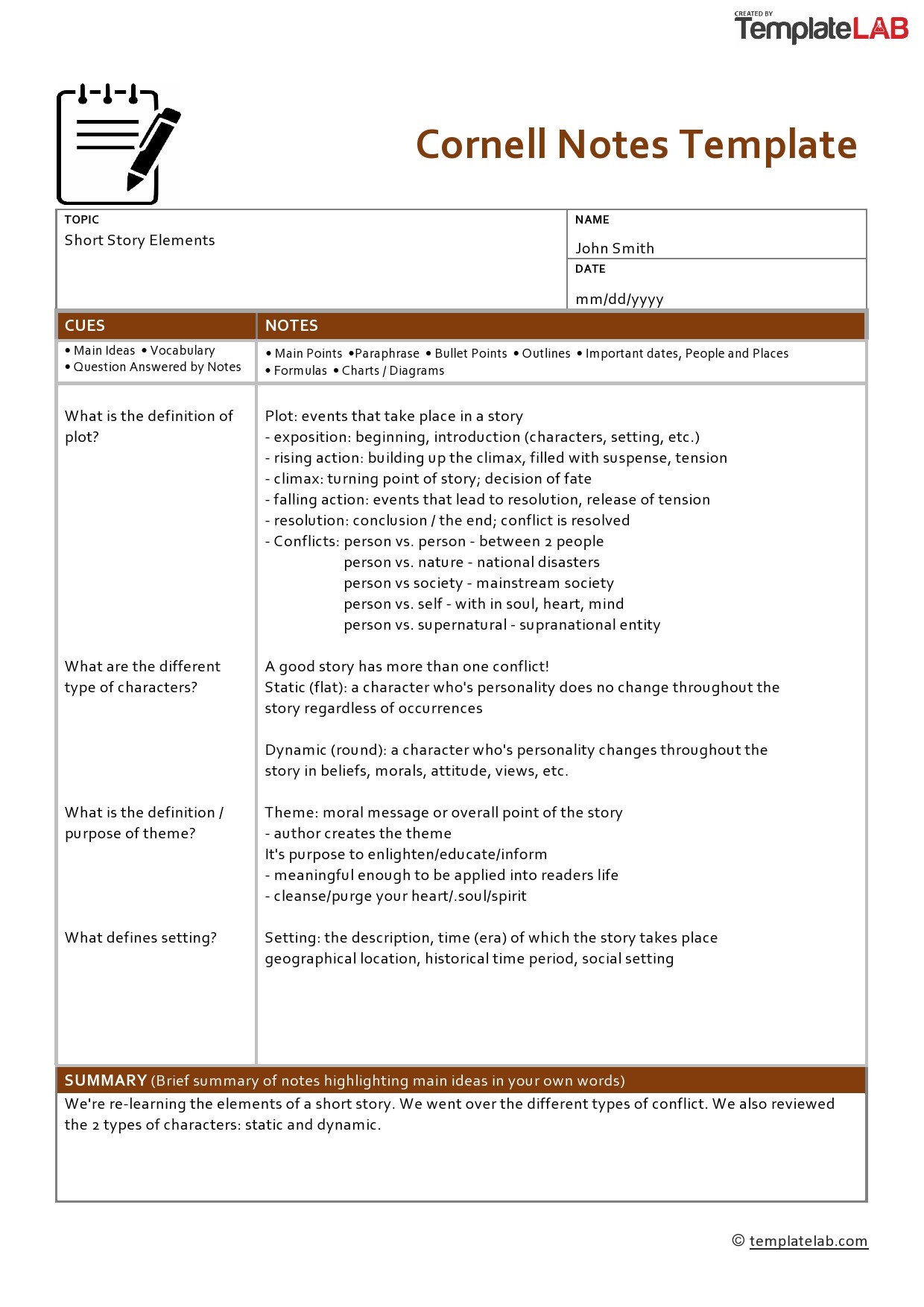
16 Printable Cornell Notes Templates [Word, Excel, PDF]
Customize your template with different fonts or colors to make it more personal. Download free cornell notes templates to organize your study notes in word (doc or docx), excel, and pdf formats. Google docs,.dotx (microsoft word template),.odt (opendocument text), and.docx (microsoft word). Here is download link for this cornell notes template 01 in ms word format. Use shortcut keys (like ctrl + t) to insert a table quickly.
Cornell Note Taking Template Word - Harness the power of structured learning with the cornell note taking template from template.net. Special designs tailored for subjects like science, history, and language arts. This method arranges the page into specific areas designated for detailed notes, key points, and a summary. Download this cornell note taking template design in word, google docs, pdf, apple pages format. It has two variations, one for students who are learning how to use cornell notes and one for students who are familiar with the strategy and are ready to apply it. Designing the format yourself can bring a sense of personalization to your notes, but using a cornell notes template is an easier choice, especially if you will be taking a large number of notes or attending several lectures.
These cornell notes templates are available in several formats: Here is download link for this cornell notes template 01 in ms word format. In cornell method, the user divides the paper into two columns: Simplify summarizing and note taking with our blank sheets and outlined format, improving your study method effortlessly. Harness the power of structured learning with the cornell note taking template from template.net.
He Designed It To Help Students Structure Their Notes
Another useful cornell notes template in ms word format to allow you to take notes while attending lectures. These cornell notes templates are available in several formats: In cornell method, the user divides the paper into two columns: Fully editable and customizable, this template transforms your study sessions into an organized, efficient learning experience.
Customize Your Template With Different Fonts Or Colors
Special designs tailored for subjects like science, history, and language arts. Free printable and editable cornell notes templates and notebooks in word, pdf & google docs. It is a great way to organize your thoughts and capture key information from lectures, meeting and presentations. Once you complete these steps, you’ll have a reusable cornell notes template in word.
Cornell Notes Template
This method arranges the page into specific areas designated for detailed notes, key points, and a summary. Use shortcut keys (like ctrl + t) to insert a table quickly. Dive into focused learning with a layout that encourages clarity and retention. Google docs,.dotx (microsoft word template),.odt (opendocument text), and.docx (microsoft word).
Free Cornell Notes Template
Add a modern aesthetic to note taking with our cornell notes template available for download in google docs, word, and pdf. Instantly download cornell note taking template sample & example in pdf, microsoft word (doc), google docs, and apple pages format. Download free cornell notes templates to organize your study notes in word (doc or docx), excel, and pdf formats. Simplify summarizing and note taking with our blank sheets and outlined format, improving your study method effortlessly.