
Copying Templates Between Azure Labs
Copying Templates Between Azure Labs - This solution will copy an image version from a compute gallery in one azure cloud, tenant, or subscription to a compute gallery in another azure cloud, tenant, or. Then click on the clone icon. If you are familiar with powershell you can use azurepipelinesps to copy a dashboard. Then in the dialogue box set the project name to the. Either copy your template directly into a new skillable studio cloud resource template or save it into an external repository (github, etc.) and copy the link into the new. To transfer files between different jobs or pipelines, you need to use publish pipeline artifact task and download pipeline artifact task.
Review, create, and deploy a managed disks with a template. Set pivot by to test plan and choose your test plan from the drop down next to test plan. I have a main project repository, from where i want to call these templates and use them. This article describes recommended approaches for creating a custom image for azure lab services labs. Learn how you can create a save a custom image from an existing lab template.
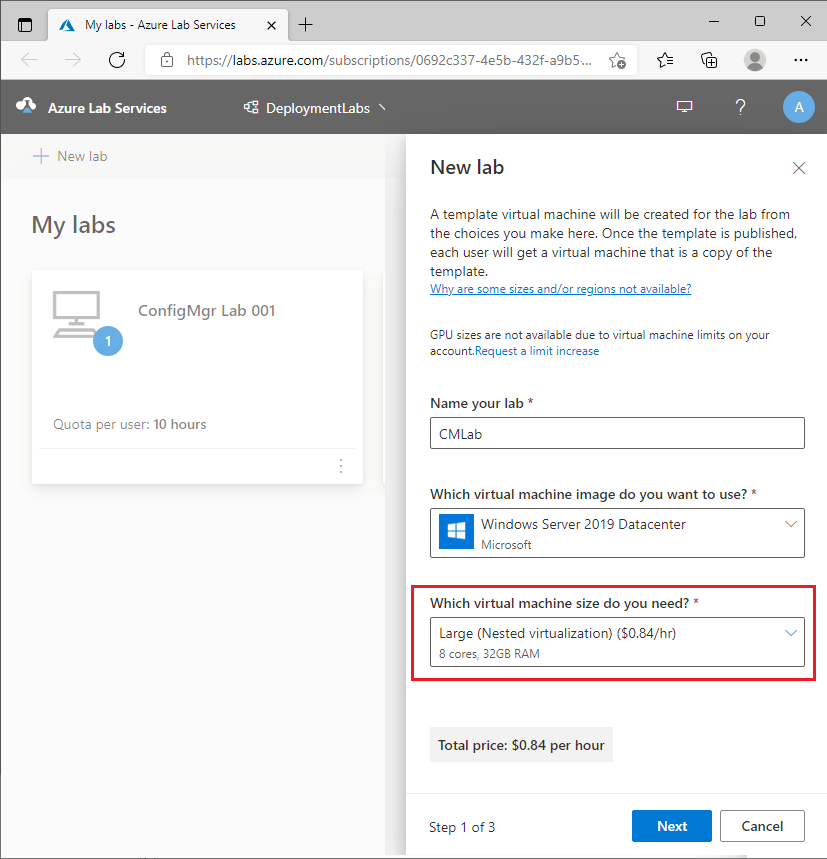
Using Azure Labs for your Home Lab Deployment Research
Bulk add or modify work items with excel. Learn how to create and manage a lab template in azure lab services. With azure lab services, you can create labs using both marketplace images and custom images from a shared image gallery. This article describes recommended approaches for creating a custom image for azure lab services labs. If you want to save images and share or reuse them across labs, you can export the image to a shared image gallery:.

Microsoft Azure Labs Cloud Academy
To transfer files between different jobs or pipelines, you need to use publish pipeline artifact task and download pipeline artifact task. Refer to this link for details: Yes templates are located on your local machine you should be able to copy it from there. I have a main project repository, from where i want to call these templates and use them.

How Templates Copying Works Keeper Docs
Easily duplicate azure lab templates with our expert guide, covering azure devtest labs, template deployment, and environment replication for efficient cloud management and lab setup. I have a main project repository, from where i want to call these templates and use them. Please refer to the official doc for. Review, create, and deploy a managed disks with a template. Then in the dialogue box set the project name to the.

Architecture fundamentals Azure Lab Services Microsoft Learn
Refer to this link for details: Please refer to the official doc for. The pipeline file is as shown: This article describes recommended approaches for creating a custom image for azure lab services labs. I have a main project repository, from where i want to call these templates and use them.

Azure Architecture Diagram Templates
Please refer to the official doc for. This solution will copy an image version from a compute gallery in one azure cloud, tenant, or subscription to a compute gallery in another azure cloud, tenant, or. Today i want to tackle the issue of bulk copying more than one azure ml experiment at once between different workspaces. Yes templates are located on your local machine you should be able to copy it from there.
Copying Templates Between Azure Labs - Learn how you can create a save a custom image from an existing lab template. Yes templates are located on your local machine you should be able to copy it from there. Review, create, and deploy a managed disks with a template. The examples show how to use the repository resource. The simplest way to create a custom image is to save the image from a lab’s template virtual machine (vm) using azure lab services' portal. Manage azure resources by using azure resource manager templates.
The pipeline file is as shown: Visual studio doesn't give options to edit. Create a virtual machine with a template. Please refer to the official doc for. Then click on the clone icon.
If You Are Familiar With Powershell You Can Use
Learn how to create and manage a lab template in azure lab services. If you want to save images and share or reuse them across labs, you can export the image to a shared image gallery: The following section describes how to move resources to a different resource group and create and customize an arm template to move a lab from one region to another. You can use a template to customize the base vm image for lab vms.
Create A Virtual Machine With A Template
To transfer files between different jobs or pipelines, you need to use publish pipeline artifact task and download pipeline artifact task. Refer to this link for details: Today i want to tackle the issue of bulk copying more than one azure ml experiment at once between different workspaces. Review, create, and deploy a managed disks with a template.
There Are Several Ways To Create A Custom
Learn how you can create a save a custom image from an existing lab template. Set pivot by to test plan and choose your test plan from the drop down next to test plan. The examples show how to use the repository resource. Bulk add or modify work items with excel.
Please Refer To The Official Doc For
You can use excel to export these work items and then import into the new project. The pipeline file is as shown: Then click on the clone icon. Learn how to configure commonly used software and operating system settings, such as windows update, onedrive, and microsoft 365.