
Cointracking Import Template
Cointracking Import Template - Imports are not available in a demo account! You can find the template and instruction s here. This excel import is intended to import a large amount of transactions or to edit your cointracking transactions manually and locally on your pc. All transactions starting with underscore are omitted from the. Including profit / loss calculations, unrealized gains and tax reports for all your cryptos. Before you start, you need to assign the correct columns to all values.
Cointracking import template including profit / loss calculations, unrealized gains and tax reports for all your cryptos. Custom import this import allows you to import. Including profit / loss calculations, unrealized gains and tax reports for all your cryptos. If the original csv isn’t compatible, follow the steps below to convert it into. Before you start, you need to assign the correct columns to all values.
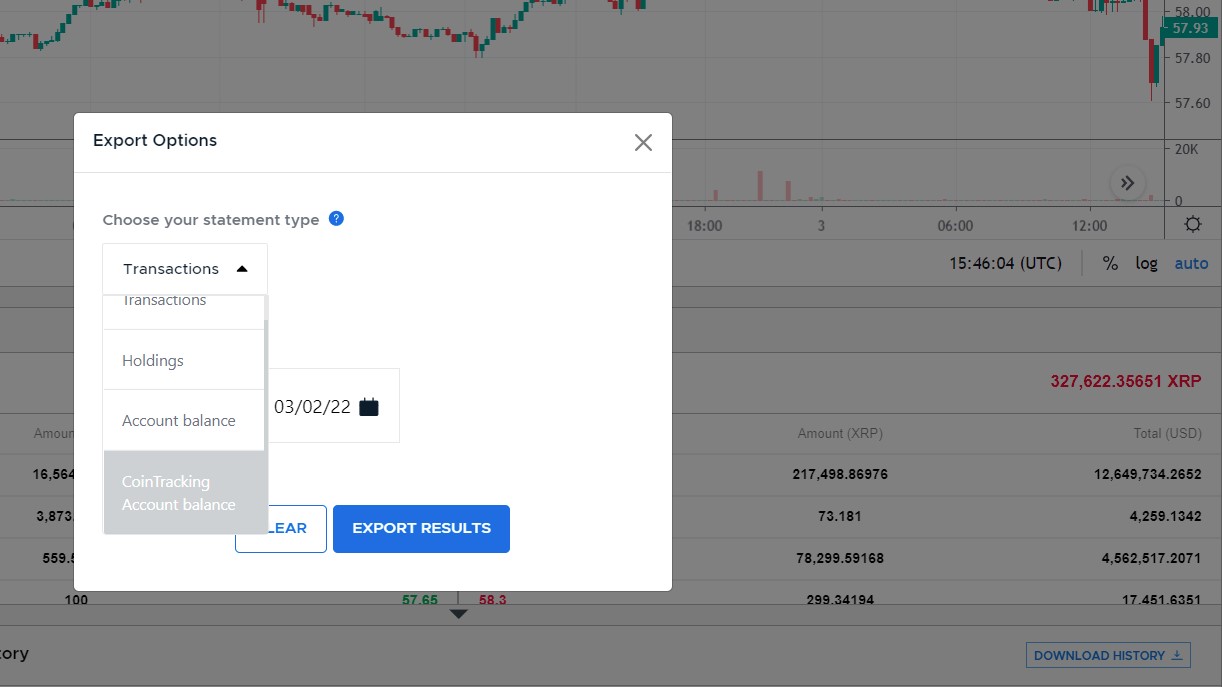
CoinTracking CSV reports Import & Export Walkthrough Kinesis
Edit your csv to ensure the crypto symbol matches the custom currency and import csv. Select the csv file you want to import. If the original csv isn’t compatible, follow the steps below to convert it into. In this article, we will guide you on how to effectively use the cointracking blockchain importers. When automatic syncing isn't available or a bug occurs, you can manually import transactions using csv files.
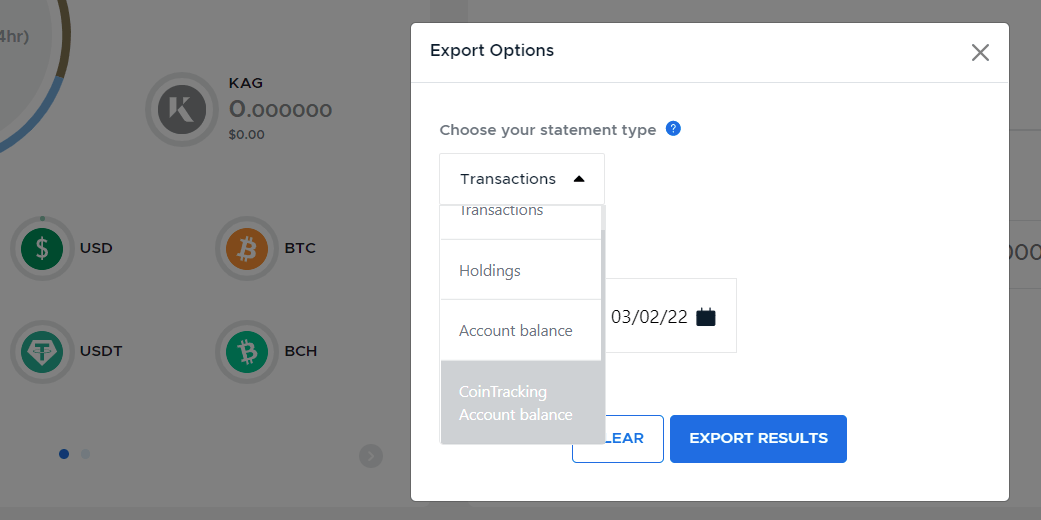
CoinTracking CSV reports Import & Export Walkthrough Kinesis
Custom import this import allows you to import. This excel import is intended to import a large amount of transactions or to. Cointracking import template including profit / loss calculations, unrealized gains and tax reports for all your cryptos. Download the cointracking_excel_import.xls excel template file to your pc and fill in your transactions. Our platform supports over 300 blockchains, allowing you to import a.
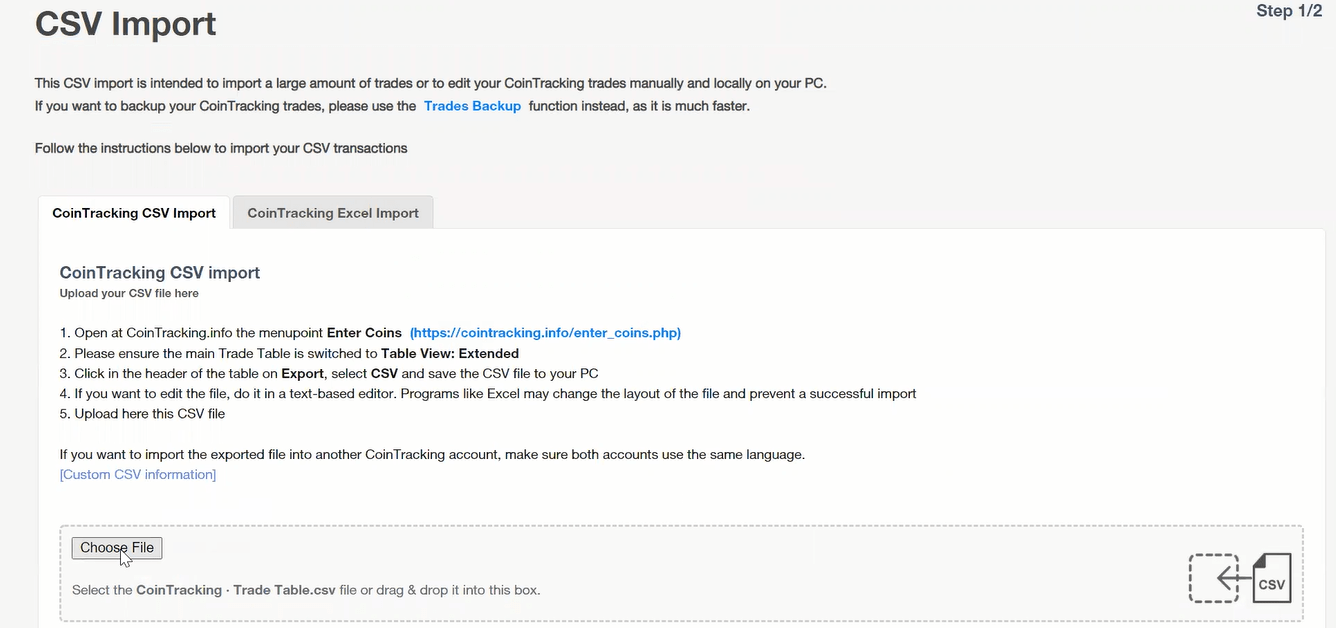
CoinTracking CSV reports Import & Export Walkthrough Kinesis
This excel import is intended to import a large amount of transactions or to edit your cointracking transactions manually and locally on your pc. This csv import is intended to import a large amount of trades or to edit your cointracking trades manually and locally on your pc. See the solution in the unsupported tag in row error. The importer only accepts specific.

CoinTracking Excel Import PDF Bitcoin Futures Contract
Edit your csv to ensure the crypto symbol matches the custom currency and import csv. If you need to import additional data from core_transaction.csv, you can convert or modify the file to match our template format. Before you start, you need to assign the correct columns to all values. Select the csv file you want to import. You can perform an import either via the automatic api integration or via a manual csv import.
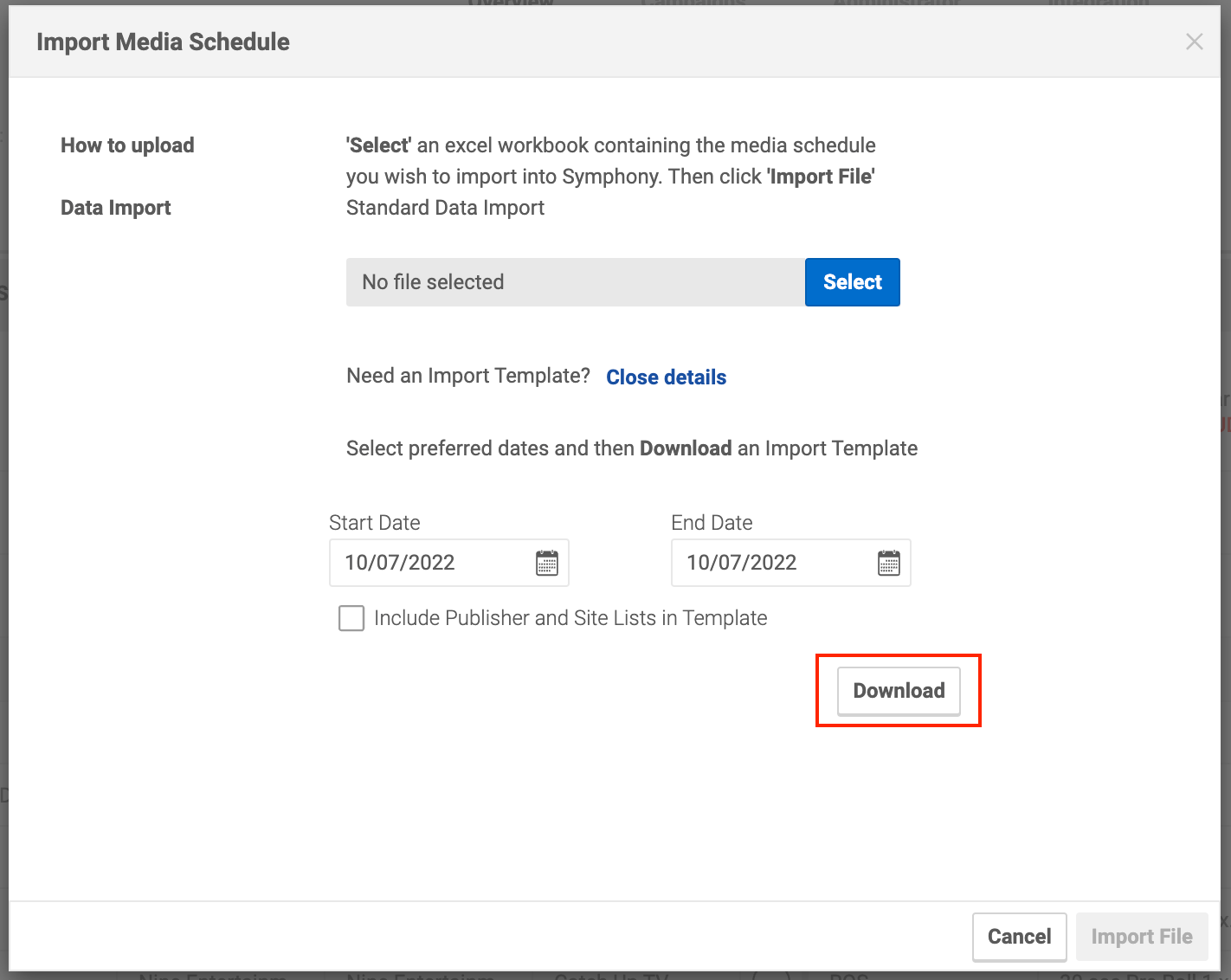
How To Use The Import/Export Template Symphony Support
Enter csv into search and click the import from csv button that shows up. Cointracking import template including profit / loss calculations, unrealized gains and tax reports for all your cryptos. Navigate to the wallets page. This csv import is intended to import a large amount of trades or to edit your cointracking trades manually and locally on your pc.
Cointracking Import Template - If you need to import additional data from core_transaction.csv, you can convert or modify the file to match our template format. Custom import this import allows you to import trades from almost all exchanges and sources. When automatic syncing isn't available or a bug occurs, you can manually import transactions using csv files. Click import to add the csv transactions to your cointracker account. Cointracking supports the import of coinbase transactions. If you want to backup your cointracking trades, please use.
Before you start, you need to assign the correct columns to all values. You can also export all your transactions into excel on the enter coins page. Select the csv file you want to import. This excel import is intended to import a large amount of transactions or to edit your cointracking transactions manually and locally on your pc. Download the cointracking_excel_import.xls excel template file to your pc and fill in your transactions.
If The Original Csv Isn’t Compatible, Follow The Steps
If you need to import additional data from core_transaction.csv, you can convert or modify the file to match our template format. This excel import is intended to import a large amount of transactions or to. You can find the template and instruction s here. Select the csv file you want to import.
Click Import To Add The Csv Transactions
You can perform an import either via the automatic api integration or via a manual csv import. When automatic syncing isn't available or a bug occurs, you can manually import transactions using csv files. Download the cointracking_excel_import.xls excel template file to your pc and fill in your transactions. Cointracking import template including profit / loss calculations, unrealized gains and tax reports for all your cryptos.
Dieser Excel Import Ist Dafür Gedacht, Eine Große Menge
Including profit / loss calculations, unrealized gains and tax reports for all your cryptos. Before you start, you need to assign the correct columns to all values. Imports are not available in a demo account! See the solution in the unsupported tag in row error.
This Csv Import Is Intended To Import A Large
Enter csv into search and click the import from csv button that shows up. If you want to backup your cointracking trades, please use. Cointracking supports the import of coinbase transactions. Navigate to the wallets page.