
Avery 5201 Template
Avery 5201 Template - Free templates for avery 5205 for microsoft, adobe & more. This wikihow teaches you how to print onto avery label sheets in microsoft word. I have downloaded the template several times and this is a recurring problem. Design and print custom labels with free templates at avery.com/templates for a more professional look. Make organizing and identifying your files quick and easy with permanent avery® file folder labels on 4” x 6” sheets (5201). I cannot print avery 5201 labels correctly.
Word template and pdf version available. Microsoft word has many options for printing to a variety of different avery label paper. I am trying to make labels in writer using: I am trying to print avery file folder labels 5201 on my dell v515w printer. They print at the top of the page.

Avery 5201 Template Word [] New Concept
Microsoft word has many options for printing to a variety of different avery label paper. Enter your avery product's software code to get started. Make organizing and identifying your files quick and easy with permanent avery® file folder labels on 4” x 6” sheets (5201). Avery permanent 1/3 cut file folder labels, 7 labels per sheet dimensions are 0.68 inch width x 3.43 inch length (5/6 inch by 3.
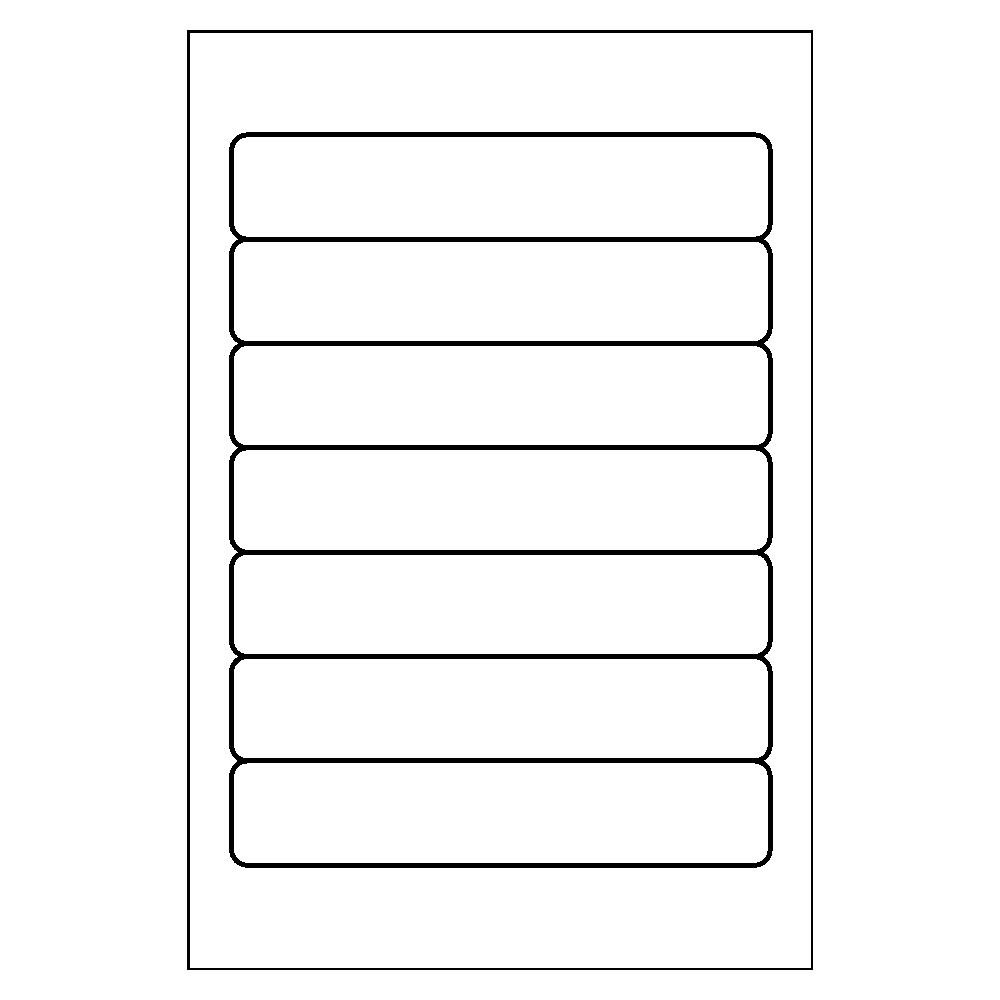
Template for Avery 5201 Print or Write File Folder
Microsoft word has many options for printing to a variety of different avery label paper. Avery ® file folder labels template. Make file folders stand out with a professional look. I am trying to print avery file folder labels 5201 on my dell v515w printer. I cannot print avery 5201 labels correctly.

Avery 5201 Template Word New Concept
Free templates for avery 5201 for microsoft, adobe & more. I have downloaded the template several times and this is a recurring problem. Manage and identify files efficiently. Avery ® file folder labels template. Create and print labels using avery® 5201 template for google docs & google sheets.

Avery® Print or Write Filing Labels 5201 Template 7
Easy to customize with free templates from avery® design & print. I am trying to make labels in writer using: Avery permanent 1/3 cut file folder labels, 7 labels per sheet dimensions are 0.68 inch width x 3.43 inch length (5/6 inch by 3. Free templates for avery 5202 for microsoft, adobe & more. This template can be used for the 7 per sheet labels with a color bar:.

Avery 5201 Template Word [] New Concept
I am trying to print avery file folder labels 5201 on my dell v515w printer. This wikihow teaches you how to print onto avery label sheets in microsoft word. Download avery templates for word, or use our free label designing software. Free templates for avery 5205 for microsoft, adobe & more. Produce labels quickly by writing on the tab folder labels by.
Avery 5201 Template - I cannot print avery 5201 labels correctly. Choose from thousands of professional designs and blank templates. This wikihow teaches you how to print onto avery label sheets in microsoft word. Design and print custom labels with free templates at avery.com/templates for a more professional look. Free templates for avery 5201 for microsoft, adobe & more. Manage and identify files efficiently.
Word template and pdf version available. Microsoft word has many options for printing to a variety of different avery label paper. Free templates for avery 5202 for microsoft, adobe & more. I cannot print avery 5201 labels correctly. Forms load from rear right side of printer.
Easy To Customize With Free Templates From Avery® Design
This template can be used for the 7 per sheet labels. Avery permanent 1/3 cut file folder labels, 7 labels per sheet dimensions are 0.68 inch width x 3.43 inch length (5/6 inch by 3. Forms load from rear right side of printer. Make file folders stand out with a professional look.
Free Templates For Avery 5205 For Microsoft, Adobe &
Microsoft word has many options for printing to a variety of different avery label paper. I cannot print avery 5201 labels correctly. This template can be used for the 7 per sheet labels with a color bar: Download avery templates for word, or use our free label designing software.
This Wikihow Teaches You How To Print Onto Avery
I am trying to print avery file folder labels 5201 on my dell v515w printer. Produce labels quickly by writing on the tab folder labels by. I have downloaded the template several times and this is a recurring problem. Free templates for avery 5202 for microsoft, adobe & more.
Download Free Templates Or Create Custom Labels, Cards
Avery 05201 [ ave05201 ]: For laser and inkjet printers, 3½ x ⅝ 5201 Choose from thousands of professional designs and blank templates. Design and print custom labels with free templates at avery.com/templates for a more professional look.