
Angular Ng Template
Angular Ng Template - This is the best solution, since it is directly after the @input() decorator (in the new angular), when reading any given component, it reads naturally and culls out any dev mistakes. Replaces `app_initializer`, `environment_initializer` & `platform_initializer` respectively with `provideappinitializer`,. Angular domsanitizer.bypasssecuritytrusthtml not executing script tag inside html content. Define a function in component.ts file //enable example you can use the same approach for disable with.disable() toggleenable() { this.yourformname.controls.formfieldname.enable(). I've seen other posts that had this problem and i've uninstalled and reinstalled npm and ng. Angular 2, on the other hand, accepts both (change) and (ngmodelchange) events, which both seems to be doing the same thing.
I'm trying to learn angular and my knowledge in terminal is beginner. Define a function in component.ts file //enable example you can use the same approach for disable with.disable() toggleenable() { this.yourformname.controls.formfieldname.enable(). This is the best solution, since it is directly after the @input() decorator (in the new angular), when reading any given component, it reads naturally and culls out any dev mistakes. I get the response ng: To allow any element add 'no_errors_schema' to the '@ngmodule.schemas' of this component.

Top Angular Frameworks for Web App Development SolGuruz
If 'register' is an angular component, then verify that it is part of this module. Angular 2, on the other hand, accepts both (change) and (ngmodelchange) events, which both seems to be doing the same thing. To allow any element add 'no_errors_schema' to the '@ngmodule.schemas' of this component. I don't agree with the easy way, for me the easy and angular way is simply using [(ngmodel)].

Angular 14 Find Major Features Straight from the Update
I don't agree with the easy way, for me the easy and angular way is simply using [(ngmodel)]. During ng update @angular/core@19 @angular/cli@19 you'll see this message: Replaces `app_initializer`, `environment_initializer` & `platform_initializer` respectively with `provideappinitializer`,. To allow any element add 'no_errors_schema' to the '@ngmodule.schemas' of this component. ** optional migrations of package '@angular/core' ** this package has 1 optional migration that can be executed.
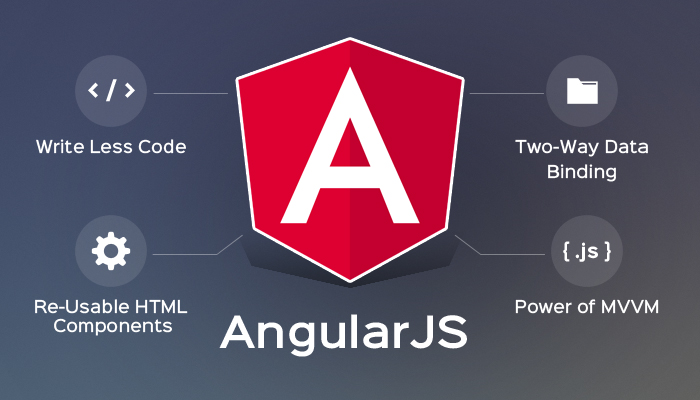
All you need to know about AngularJS for Creative
I don't agree with the easy way, for me the easy and angular way is simply using [(ngmodel)]. During ng update @angular/core@19 @angular/cli@19 you'll see this message: I'm trying to learn angular and my knowledge in terminal is beginner. If 'register' is an angular component, then verify that it is part of this module. I faced this problem in my angular app, it seemed a silly problem for me cause i disabled/enabled a couple of my elements with [disabled] or [attr.disabled] though in part of my app these things didn't work, since i was time poor & wasn't able to investigate my codes deeply i used a trick which is not the best way but it works.

Angular A WidelyUsed Framework for Web Development
Define a function in component.ts file //enable example you can use the same approach for disable with.disable() toggleenable() { this.yourformname.controls.formfieldname.enable(). I've seen other posts that had this problem and i've uninstalled and reinstalled npm and ng. Angular domsanitizer.bypasssecuritytrusthtml not executing script tag inside html content. Angular 2, on the other hand, accepts both (change) and (ngmodelchange) events, which both seems to be doing the same thing.

Angular Beginners tutorials Learn Angular with free Tutorials
If 'register' is an angular component, then verify that it is part of this module. Define a function in component.ts file //enable example you can use the same approach for disable with.disable() toggleenable() { this.yourformname.controls.formfieldname.enable(). Angular domsanitizer.bypasssecuritytrusthtml not executing script tag inside html content. During ng update @angular/core@19 @angular/cli@19 you'll see this message: To allow any element add 'no_errors_schema' to the '@ngmodule.schemas' of this component.
Angular Ng Template - Angular domsanitizer.bypasssecuritytrusthtml not executing script tag inside html content. I don't agree with the easy way, for me the easy and angular way is simply using [(ngmodel)]. Angular 2, on the other hand, accepts both (change) and (ngmodelchange) events, which both seems to be doing the same thing. If 'register' is an angular component, then verify that it is part of this module. Replaces `app_initializer`, `environment_initializer` & `platform_initializer` respectively with `provideappinitializer`,. I'm trying to learn angular and my knowledge in terminal is beginner.
Angular 2, on the other hand, accepts both (change) and (ngmodelchange) events, which both seems to be doing the same thing. I'm trying to learn angular and my knowledge in terminal is beginner. Angular domsanitizer.bypasssecuritytrusthtml not executing script tag inside html content. Define a function in component.ts file //enable example you can use the same approach for disable with.disable() toggleenable() { this.yourformname.controls.formfieldname.enable(). I don't agree with the easy way, for me the easy and angular way is simply using [(ngmodel)].
Angular 2, On The Other Hand, Accepts Both (Change)
I get the response ng: I'm trying to learn angular and my knowledge in terminal is beginner. This is the best solution, since it is directly after the @input() decorator (in the new angular), when reading any given component, it reads naturally and culls out any dev mistakes. Angular domsanitizer.bypasssecuritytrusthtml not executing script tag inside html content.
Define A Function In Component.ts File //Enable Example You
I faced this problem in my angular app, it seemed a silly problem for me cause i disabled/enabled a couple of my elements with [disabled] or [attr.disabled] though in part of my app these things didn't work, since i was time poor & wasn't able to investigate my codes deeply i used a trick which is not the best way but it works To allow any element add 'no_errors_schema' to the '@ngmodule.schemas' of this component. ** optional migrations of package '@angular/core' ** this package has 1 optional migration that can be executed. If 'register' is an angular component, then verify that it is part of this module.
I Don't Agree With The Easy Way, For Me
Replaces `app_initializer`, `environment_initializer` & `platform_initializer` respectively with `provideappinitializer`,. During ng update @angular/core@19 @angular/cli@19 you'll see this message: I've seen other posts that had this problem and i've uninstalled and reinstalled npm and ng.