
Turn Image Into Tattoo
Turn Image Into Tattoo - However, you will still be able to turn on or off your individual bluetooth and wireless. If you turn on other windows settings, windows syncs some device settings (for things like printers and mouse options), file explorer settings, and notification preferences. How to turn on or off microsoft defender firewall in windows 10 starting with windows 10 build 16193, windows firewall has been renamed to windows defender firewall, and now. How to enable or disable windows security in windows 10 the windows security app is a client interface on windows 10 version 1703 and later that makes it is easier for you to view and. 27 sep 2025 how to turn on or off sync your settings in windows 10 when sync settings is turned on, windows syncs the settings you choose across all your windows 10 devices that you've signed in to. If you turn on airplane mode, it will automatically turn off all bluetooth and wireless communication.
27 sep 2025 how to turn on or off sync your settings in windows 10 when sync settings is turned on, windows syncs the settings you choose across all your windows 10 devices that you've signed in to. When you turn off app. How to enable or disable windows security in windows 10 the windows security app is a client interface on windows 10 version 1703 and later that makes it is easier for you to view and. To turn off notifications from apps and other senders this will turn off showing notifications in the action center and notification banners for all apps. After you turn off a feature, you can turn it back on at any time.

Convert Photos to Stencil Tattoos Using Your Phone YouTube
This tutorial will show you how to turn windows features on or off for all users in windows 10. If you turn on other windows settings, windows syncs some device settings (for things like printers and mouse options), file explorer settings, and notification preferences. How to enable or disable windows security in windows 10 the windows security app is a client interface on windows 10 version 1703 and later that makes it is easier for you to view and.

6 Best AI Tattoo Generators to Turn Photos
How to turn on or off microsoft defender firewall in windows 10 starting with windows 10 build 16193, windows firewall has been renamed to windows defender firewall, and now. When you turn off app. After you turn off a feature, you can turn it back on at any time. To turn off notifications from apps and other senders this will turn off showing notifications in the action center and notification banners for all apps.

Convert Photo To Tattoo Online Free
How to turn on or off high contrast mode in windows 10 if it’s hard to read text on your screen because you need more color contrast, you can turn on high contrast mode. After you turn off a feature, you can turn it back on at any time. If you turn on other windows settings, windows syncs some device settings (for things like printers and mouse options), file explorer settings, and notification preferences.

Convert Photo to Tattoo Style (Free Online & AIPowered)
How to turn on or off microsoft defender firewall in windows 10 starting with windows 10 build 16193, windows firewall has been renamed to windows defender firewall, and now. To turn off notifications from apps and other senders this will turn off showing notifications in the action center and notification banners for all apps. If you turn on airplane mode, it will automatically turn off all bluetooth and wireless communication.
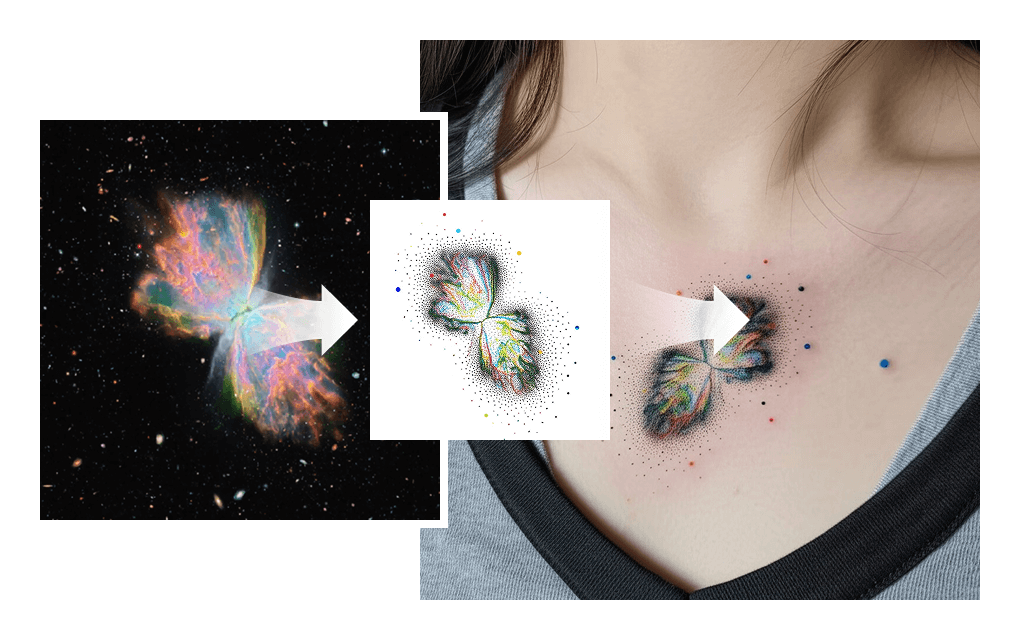
Free AI Tattoo Generator Inker.AI
How to enable or disable windows security in windows 10 the windows security app is a client interface on windows 10 version 1703 and later that makes it is easier for you to view and. This tutorial will show you how to turn windows features on or off for all users in windows 10. How to turn on or off high contrast mode in windows 10 if it’s hard to read text on your screen because you need more color contrast, you can turn on high contrast mode.
Turn Image Into Tattoo - You must be signed in as an. To turn off notifications from apps and other senders this will turn off showing notifications in the action center and notification banners for all apps. How to turn on or off high contrast mode in windows 10 if it’s hard to read text on your screen because you need more color contrast, you can turn on high contrast mode. How to turn on or off microsoft defender firewall in windows 10 starting with windows 10 build 16193, windows firewall has been renamed to windows defender firewall, and now. If you turn on airplane mode, it will automatically turn off all bluetooth and wireless communication. This tutorial will show you how to turn windows features on or off for all users in windows 10.
How to turn on or off microsoft defender firewall in windows 10 starting with windows 10 build 16193, windows firewall has been renamed to windows defender firewall, and now. This tutorial will show you how to completely turn on or off microsoft defender antivirus for all users in windows 10. You must be signed in as an. 27 sep 2025 how to turn on or off sync your settings in windows 10 when sync settings is turned on, windows syncs the settings you choose across all your windows 10 devices that you've signed in to. This tutorial will show you how to turn windows features on or off for all users in windows 10.
You Must Be Signed In As An
If you turn on airplane mode, it will automatically turn off all bluetooth and wireless communication. How to enable or disable windows security in windows 10 the windows security app is a client interface on windows 10 version 1703 and later that makes it is easier for you to view and. 27 sep 2025 how to turn on or off sync your settings in windows 10 when sync settings is turned on, windows syncs the settings you choose across all your windows 10 devices that you've signed in to. If you turn on other windows settings, windows syncs some device settings (for things like printers and mouse options), file explorer settings, and notification preferences.
This Tutorial Will Show You How To Turn Windows
This tutorial will show you how to completely turn on or off microsoft defender antivirus for all users in windows 10. To turn off notifications from apps and other senders this will turn off showing notifications in the action center and notification banners for all apps. After you turn off a feature, you can turn it back on at any time. How to turn on or off high contrast mode in windows 10 if it’s hard to read text on your screen because you need more color contrast, you can turn on high contrast mode.
You Will Still Be Able To Turn
When you turn off app. How to turn on or off microsoft defender firewall in windows 10 starting with windows 10 build 16193, windows firewall has been renamed to windows defender firewall, and now.